AdapTable 21.2 Released
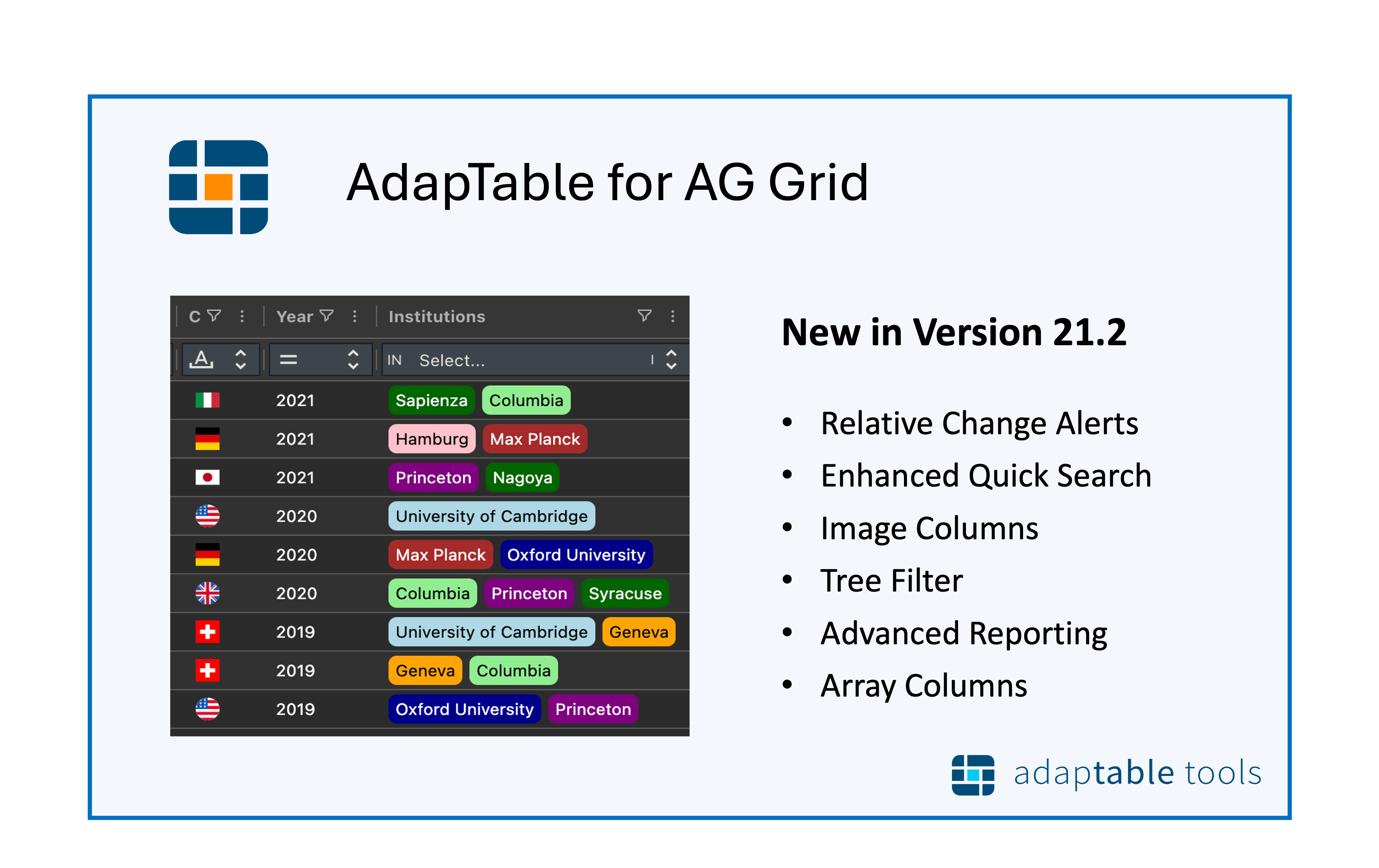
Enhancements to Quick Search and Export, new Relative Change Alerts, a Tree Filter for Group and Date Columns and 2 new Columns for Images and Arrays
AdapTable 21.2 is the latest version of our market-leading AG Grid extension.
Breaking Change
- AdapTable v.21.2 is a minor version, with no breaking changes, and supports AG Grid v.34.2.
- Version 22, coming soon, will support AG Grid 35 & contain major enhancements to the AdapTable UI
Like all releases, it contains a number of exciting new features all requested by AdapTable users.
Some of the highlights of AdapTable 21.2 include:
- Relative Change Alerts
- Customisable Quick Search
- Image Columns
- Tree Filter for Date, Row Group and Tree Grid columns
- Array Columns for Multiple Badges and Sparklines
- Advanced Exporting and Report capabilities
AdapTable 21.2 is "only" a minor version but is packed full of great new features.
Highlights include enhanced Quick Search, a more configurable Export, and a new Tree Filter to deliver an improved Filtering experience.
We've introduced 2 new column types: 'Image', to replace text with images, and 'Array', to render sparklines and multiple badges. And we're particularly excited to deliver Relative Change Alerts, the number one request from our financial services users, and which we know brings significant benefits.
Danielle Nagler, CEO, AdapTable ToolsRelative Change Alerts
AdapTable has added Relative Change Alerts to the range of Alert types it offers.
Relative Change Alerts fire based on the nature of the data change.
There are 3 Relative Change Alerts available, each of which uses an associated Relative Change Expression:
Note
- Readable Expression Functions are the core of AdapTable Query Language (AQL)
- AQL powers advanced functionality like Alerts, Calculated Columns, Grid Filter and Conditional Styles
Any Change- fires on any change at all to the Cell's value (also used in Flashing Cell definitions)Percent Change- fires if the value of Cell changes by a given percent amount (e.g. by 50%)Absolute Change- Fires if the value of Cell changes by a given absolute amount (e.g. by 100)
Hint
Percent & Absolute Change can have a "direction" limiting evalutations to increase/decrease changes
Quick Search
AdapTable's Quick Search has been refactored and extended in a number of useful ways.
Quick Search performance has been improved, by up to 80% in grids with large data.
The range of DataGrid cells which are included in a Quick Search evaluation has been expanded to include:
- Row Grouped Columns
- Tree Grid Columns
- Array Columns (also introduced in 21.2)
- Grouped Rows (ie. rows which contain aggregations)
- When using the Server Side Row Model
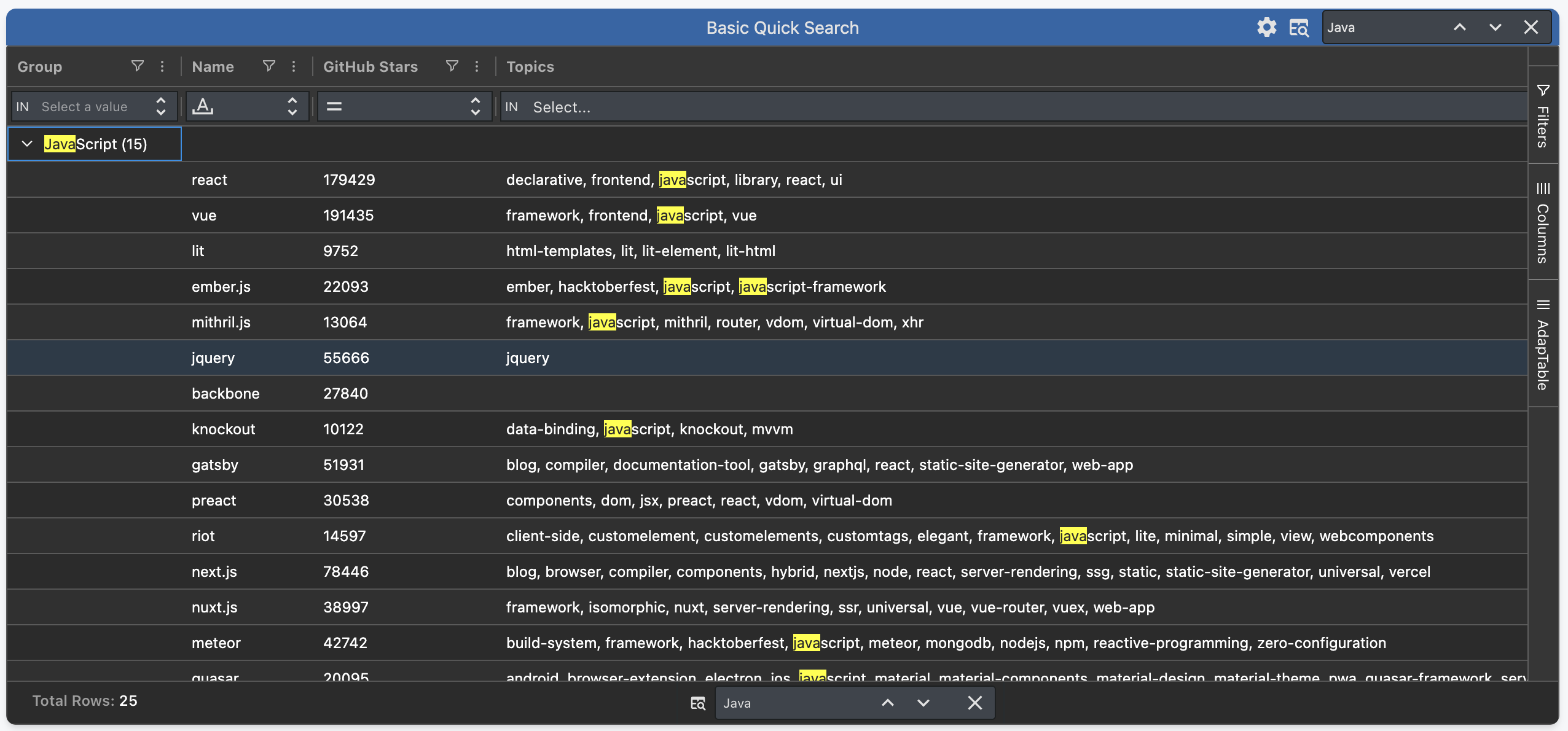
Developers can now provide bespoke Quick Search implementations, our most commonly received request.
Hint
This allows you to searh on a cell's raw value, or to search on multiple comma separated values
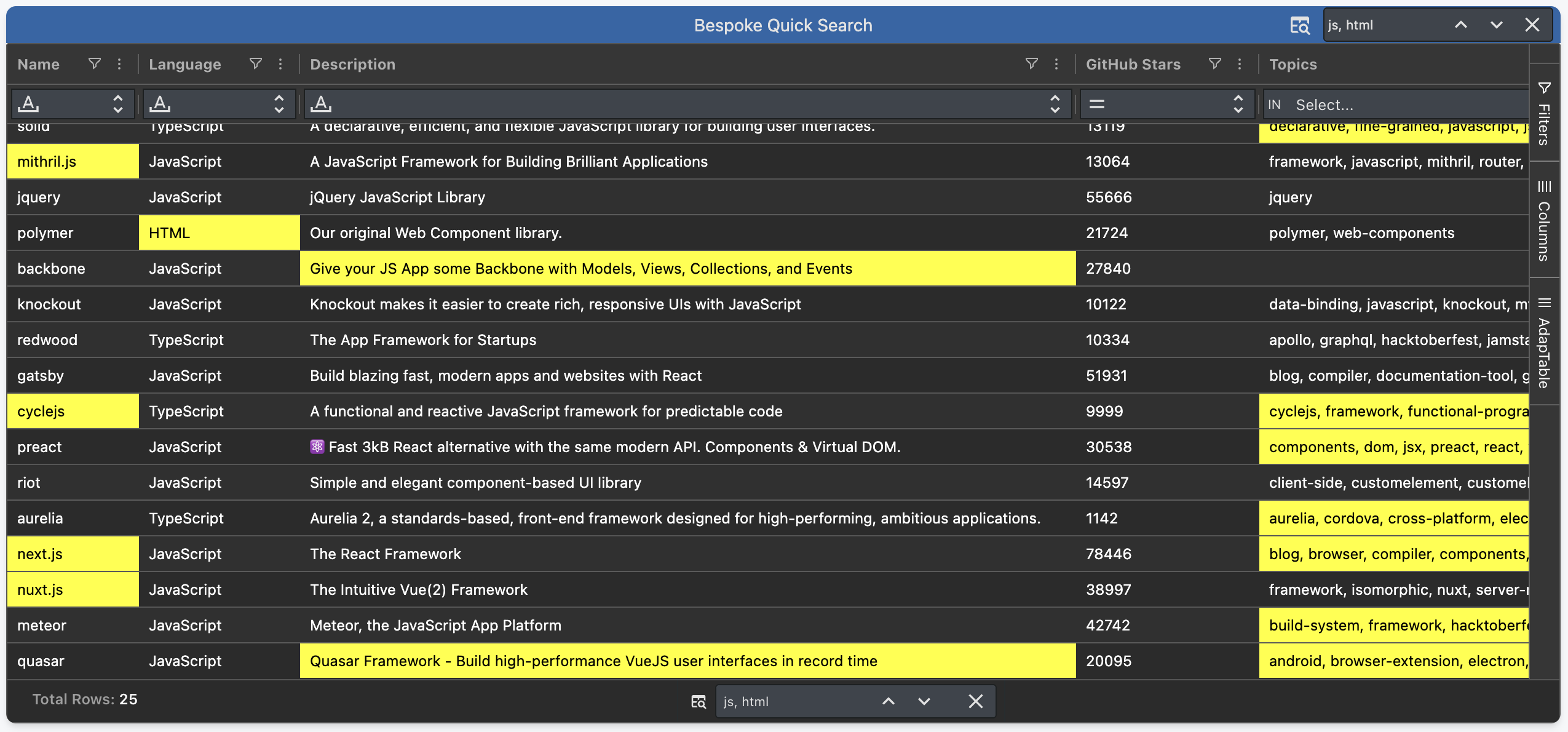
AdapTable leverages AG Grid to provide 3 different Quick Search styles for matching Cells:
- the background of a matching Cell
- the matching text in a matching Cell
- the matching text in the current result Cell (when cycling through results)
All these styles can be defined by AdapTable users (both at design-time and run-time) if required, e.g. to better fit application theme or company style guides.
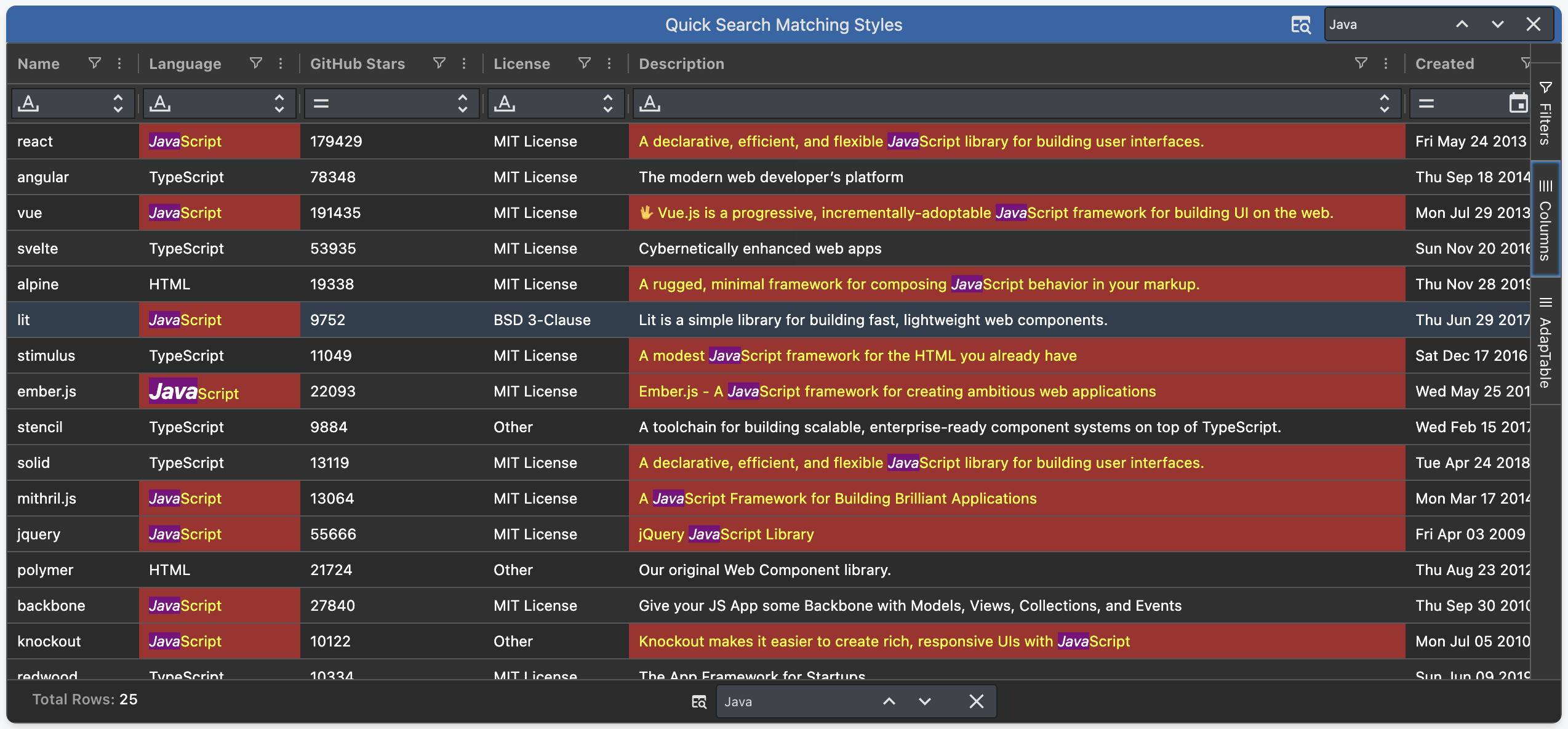
We increased the range of Quick Search UI components, enabling run-time users to search the Grid using:
- embedded Quick Search input in the Dashboard Header
- Quick Search Toolbar (also available in the Dashboard)
- Quick Search Tool Panel in the SideBar
- Quick Search Status Bar Panel at the foot of the Grid
- Quick Search section of the Settings Panel
- Floating Quick Search control (useful when screen real estate is at a premium)
Image Columns
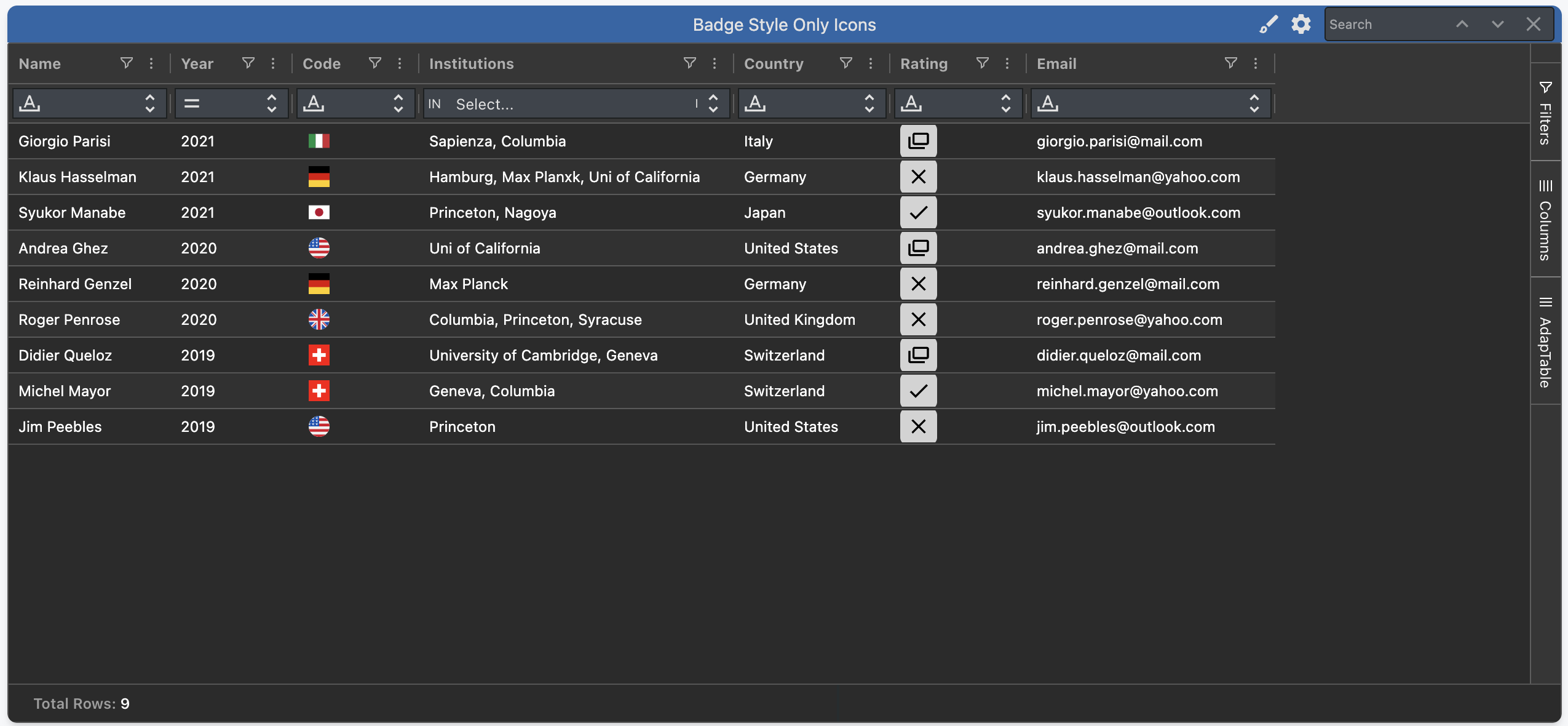
The new Image Columns, as the name implies, display only an image or an icon in each cell.
Note
This was achieved by extending Badge Styles to enable displaying icons with no accompanying cell text
This is particularly useful when wanting to fully replace cell text with a representative image or icon e.g. to display a country's flag, or a currency's symbol.
Like all AdapTable features, Image Columns can be created by permissioned run-time users using the Wizards in the AdapTable UI.
Tree Filter
A new Tree filter improves the filtering experience in AdapTable for 3 types of Columns:
-
Date Columns - the filter displays years, months & days in a tree format, allowing users to select larger time periods (e.g. a whole month), and all dates contained in that period are included in the evaluation
Caution
AdapTable only displays the Tree if the In Filter has been selected as the Column's Filter predicate
- In the "key" Column in a Tree Data Grid (the 1st Column which ties the data hierarchy together)
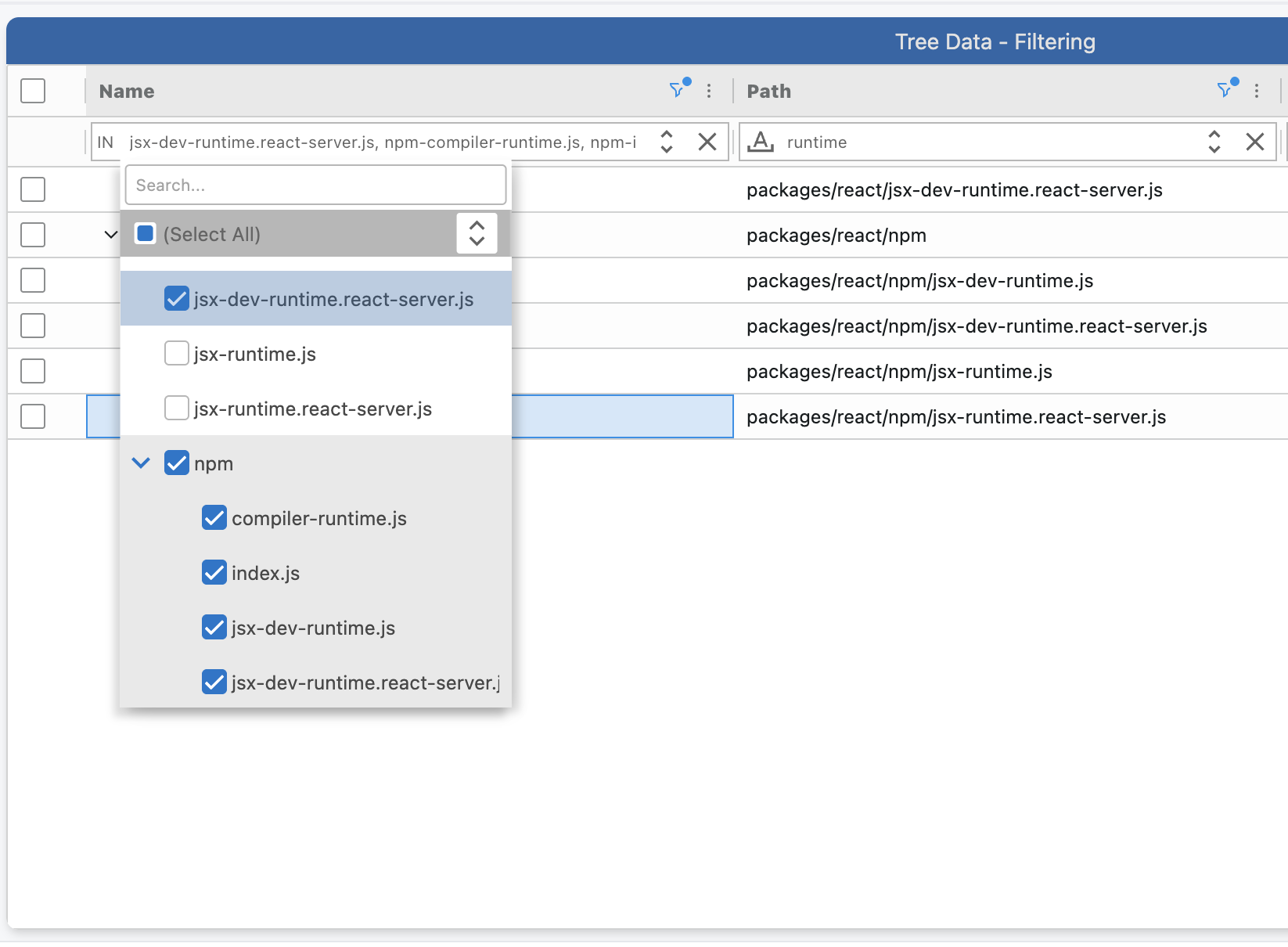
- In Row Grouped Columns (when multiple columns are grouped)
Array Columns
A new Array Column Type has been introduced for cells that contain multiple values.
And we have extended Styled Columns to allow users to render Array Columns in 2 useful ways:
-
to style multiple different Badges in the same cell
-
to display a Sparkline Column
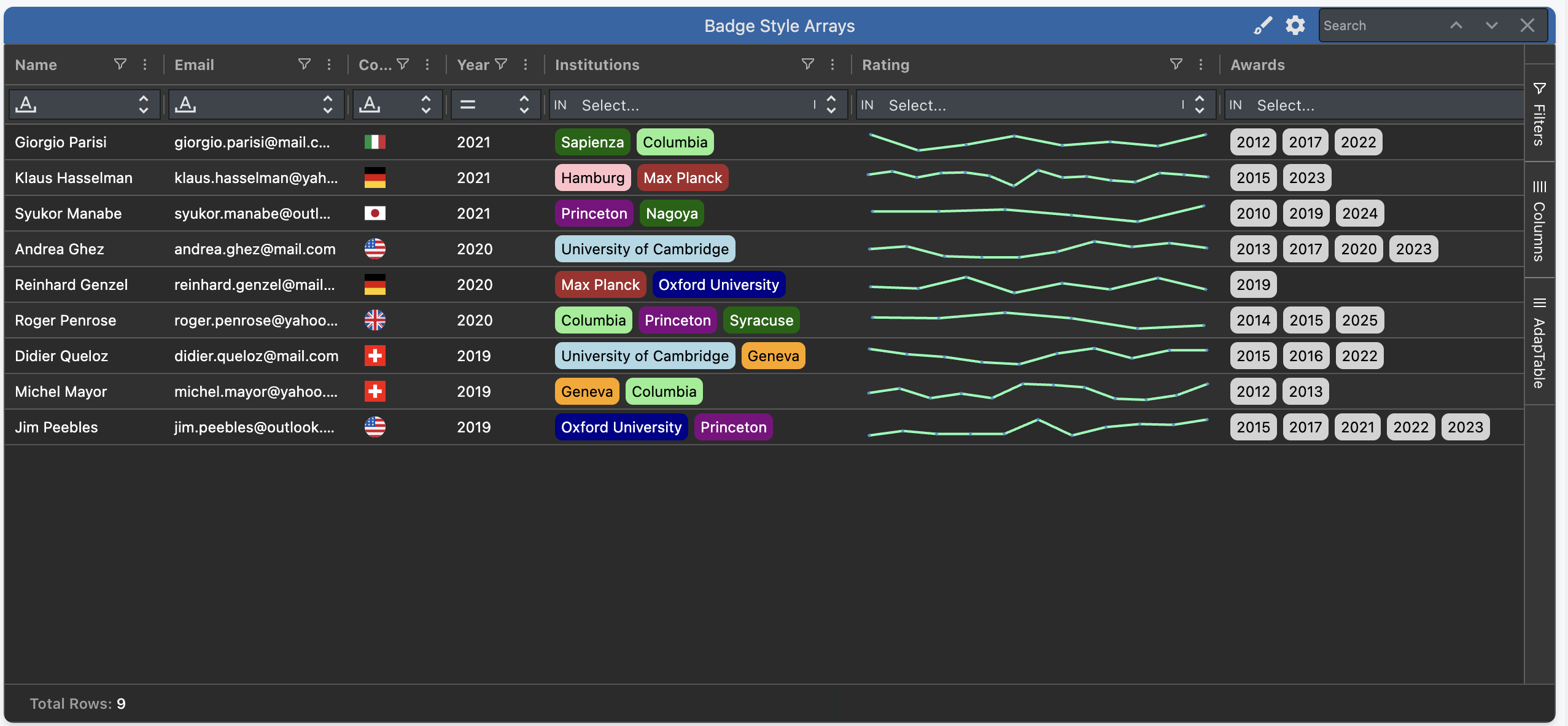
Array Columns are fully filterable, enabling users to filter on each value in the cell.
Reports
Export functionality has been signficantly enhanced in AdapTable 21.2.
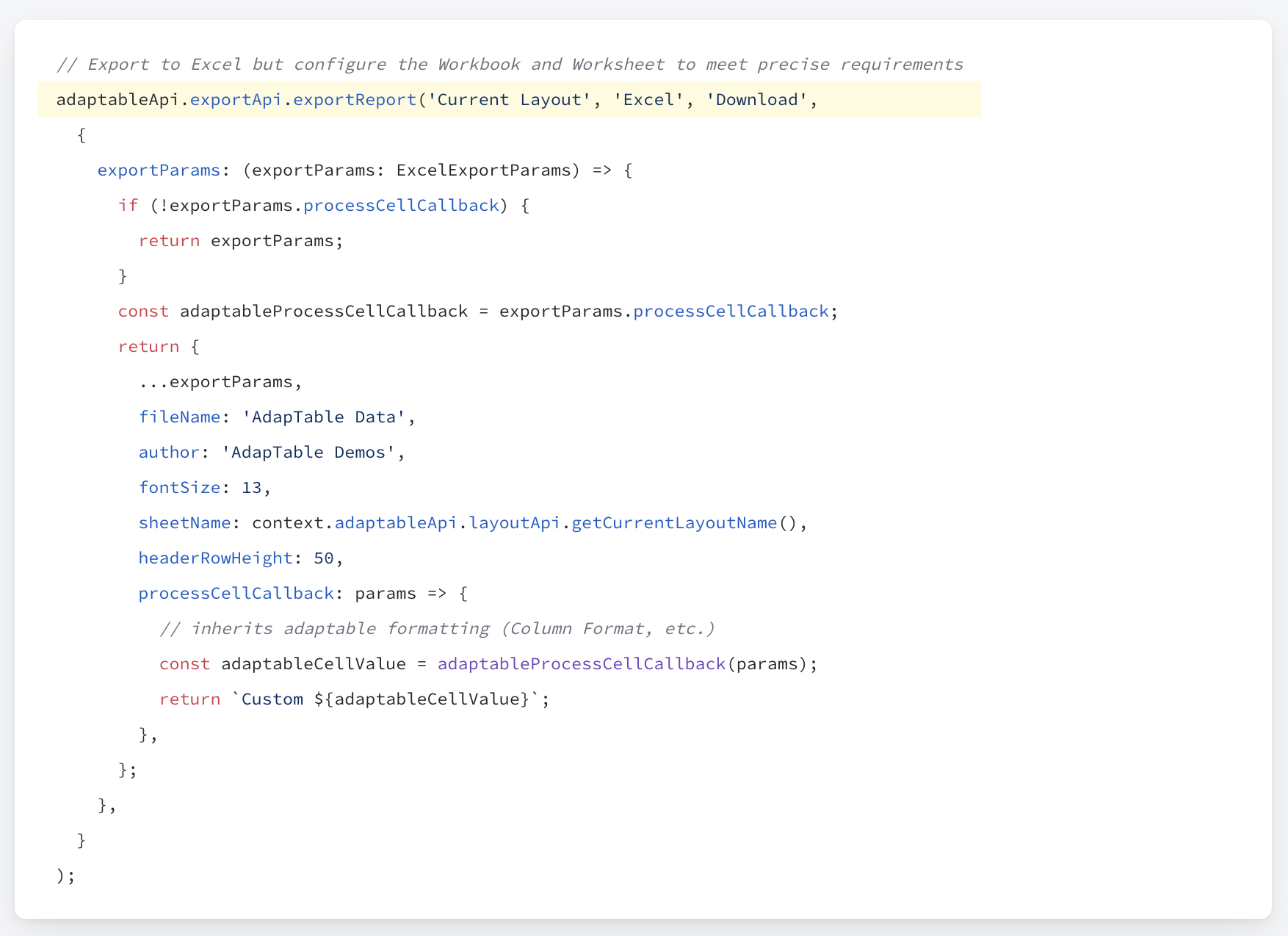
AdapTable now supports a more advanced export (available via the Adaptable API).
This enables much more fine-grained control over the Export and provides plentiful, additional configuration options, including file and sheet names, styling, and a callback function to improve cell rendering.
Additionally, developers can now provide custom JavaScript functions to configure the availability and contents of 3 key elements of Export:
This enables all 3 sections to be populated differently based on the current Report, User or other factors.
Get Started
If you are an existing AdapTable user, simply download the latest version from npm.
Like all AdapTable releases, v.21.2 is available in 4 framework flavours:
- TypeScript (the default)
- AdapTable React
- AdapTable Angular
- AdapTable Vue
If you’re not yet using AdapTable, please get in touch to learn more about how AdapTable extends AG Grid to help you access, manage, visualise and understand your data in ways no other DataGrid solution allows.
You can also download a free no-obligation trial licence so you can try out AdapTable for yourself.